
Choosing the Best Laptop Stands Under £20 for Working from Home is an affordable way to improve your home office setup, reduce neck and back strain, and create a more comfortable workspace. Whether you’re working remotely, attending online classes, gaming, or simply browsing the web, raising your laptop to a more ergonomic height can make a significant difference to your posture and overall productivity.
Since remote and hybrid working have become part of everyday life, millions of people now spend long hours in front of laptops. Unfortunately, using a laptop directly on a desk often forces users to look down for extended periods, contributing to neck pain, shoulder tension, wrist discomfort, and poor posture.
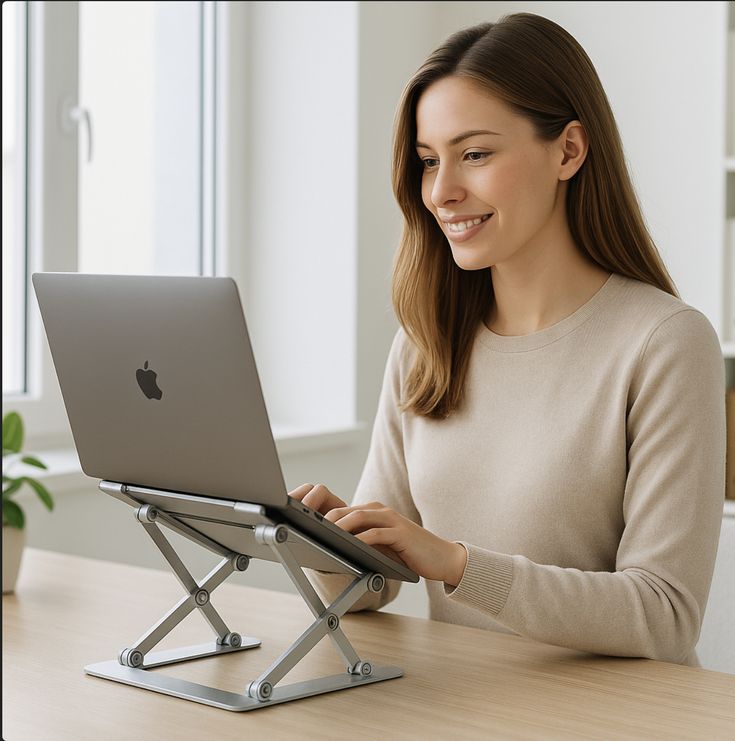
A quality laptop stand helps solve these problems by lifting the screen closer to eye level, improving airflow around the device to reduce overheating, and freeing up valuable desk space. The good news is that you don’t have to spend a fortune to enjoy these benefits. Many excellent laptop stands are available in the UK for under £20, offering impressive build quality, stability, and portability.
In this guide, we’ve researched and compared some of the best laptop stands under £20 based on ergonomics, durability, compatibility, cooling performance, portability, customer reviews, and overall value for money.
Whether you’re using a MacBook, Windows laptop, Chromebook, or a lightweight ultrabook, there’s an affordable laptop stand here to suit your needs.
Quick Comparison Table
| Laptop Stand | Best For | Material | Rating |
|---|---|---|---|
| Amazon Basics Ventilated Adjustable Stand | Best Overall | Metal & Plastic | ⭐⭐⭐⭐⭐ (4.8/5) |
| Nulaxy Foldable Aluminium Stand | Premium Choice | Aluminium Alloy | ⭐⭐⭐⭐⭐ (4.8/5) |
| Babacom Ergonomic Stand | Adjustable Height | Aluminium | ⭐⭐⭐⭐⭐ (4.7/5) |
| Soundance Aluminium Stand | Desk Setups | Aluminium Alloy | ⭐⭐⭐⭐⭐ (4.7/5) |
| Tonmom Foldable Stand | Travel | Aluminium | ⭐⭐⭐⭐☆ (4.6/5) |
| OMOTON Laptop Stand | Best Value | Aluminium | ⭐⭐⭐⭐⭐ (4.7/5) |
| BoYata Portable Stand | Cooling | Aluminium Alloy | ⭐⭐⭐⭐⭐ (4.7/5) |
| Lamicall Adjustable Stand | Office Use | Aluminium | ⭐⭐⭐⭐⭐ (4.8/5) |
| UGREEN Foldable Stand | Compact Storage | Aluminium | ⭐⭐⭐⭐⭐ (4.7/5) |
| AOVUYCK Foldable Stand | Budget Pick | Aluminium | ⭐⭐⭐⭐☆ (4.6/5) |
Why Use a Laptop Stand?
Laptop stands are one of the simplest upgrades you can make to your workspace. Even an inexpensive stand can provide noticeable improvements in comfort and productivity.
Benefits include:
- Better posture
- Reduced neck and shoulder strain
- Improved typing position when used with an external keyboard
- Enhanced laptop cooling
- Better screen viewing angle
- Increased desk organisation
- Greater comfort during long work sessions
Many models also fold flat, making them ideal for people who work from cafés, shared offices, or while travelling.
How We Selected the Best Laptop Stands
To identify the best options under £20, we evaluated each stand based on:
- Build quality
- Stability
- Ergonomic design
- Height adjustability
- Cooling performance
- Portability
- Compatibility with different laptop sizes
- Ease of assembly
- Customer satisfaction
- Overall value for money
1. Amazon Basics Ventilated Adjustable Laptop Stand – Best Overall
Average Rating: ⭐⭐⭐⭐⭐ (4.8/5)
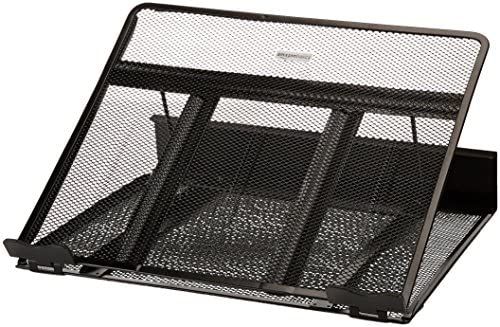
The Amazon Basics Ventilated Adjustable Laptop Stand offers an excellent combination of affordability, practicality, and ergonomic support. Designed for everyday home office use, it features a ventilated metal platform that promotes airflow around your laptop, helping to reduce heat build-up during long working sessions.
Its adjustable height and tilt settings allow users to find a comfortable viewing angle, making it suitable for writing, video conferencing, browsing, and general office work. The sturdy frame provides reliable support for laptops up to 17 inches, while non-slip feet help keep the stand stable on most desks.
Key Features
- Adjustable viewing angles
- Ventilated metal platform
- Supports laptops up to 17 inches
- Non-slip rubber feet
- Foldable design
- Lightweight construction
Pros
- Excellent value for money
- Stable and durable
- Good cooling performance
- Easy to adjust
- Suitable for most laptops
Cons
- Basic design
- Less premium appearance than all-aluminium models
Best For: Everyday home office use and students.
2. Nulaxy Foldable Aluminium Laptop Stand – Best Premium Stand Under £20
Average Rating: ⭐⭐⭐⭐⭐ (4.8/5)
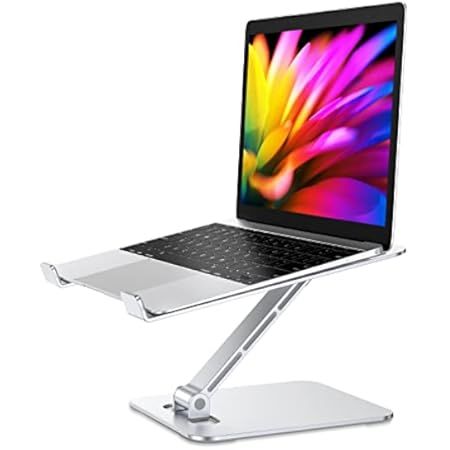
The Nulaxy Foldable Aluminium Laptop Stand is one of the most popular ergonomic laptop stands on Amazon UK. Its sleek aluminium construction closely matches the look of modern laptops, particularly MacBooks, while providing excellent durability and stability.
The open-frame design allows unrestricted airflow beneath the laptop, helping improve cooling performance. Silicone pads protect the laptop from scratches and prevent unwanted movement during typing.
Despite its sturdy construction, the stand folds flat for easy transport, making it suitable for both home and office environments.
Key Features
- Premium aluminium alloy
- Foldable design
- Excellent ventilation
- Silicone anti-slip pads
- Compatible with 10–17-inch laptops
- Tool-free setup
Pros
- Stylish design
- Strong build quality
- Excellent cooling
- Easy portability
- Wide compatibility
Cons
- Limited height adjustment
- Slightly heavier than plastic alternatives
Best For: MacBook users, professionals, and hybrid workers.
3. Babacom Ergonomic Laptop Stand – Best Adjustable Stand
Average Rating: ⭐⭐⭐⭐⭐ (4.7/5)
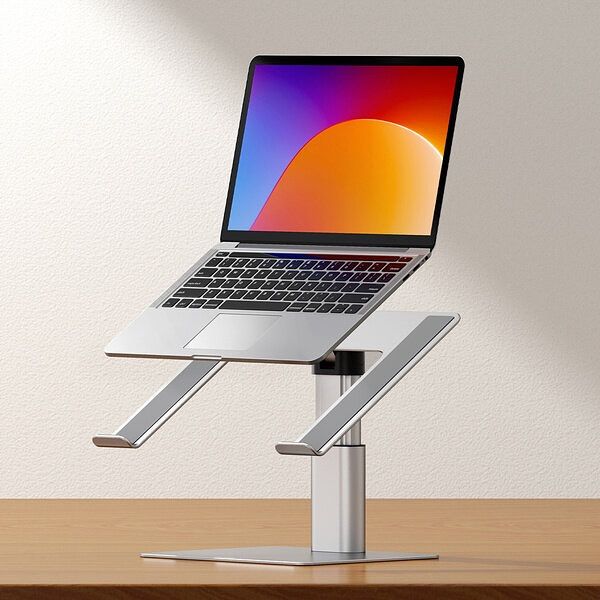
The Babacom Ergonomic Laptop Stand is designed for users who prioritize flexibility. Its fully adjustable hinges allow precise control over both height and viewing angle, helping users create a more ergonomic workstation tailored to their needs.
The aluminum frame remains stable even when supporting larger laptops, while ventilation holes improve airflow to help keep devices cool during intensive workloads.
Rubber pads protect both the laptop and desk surface, while the folding mechanism makes storage quick and convenient.
Key Features
- Fully adjustable height
- Adjustable viewing angle
- Aluminium alloy construction
- Foldable design
- Anti-slip silicone pads
- Improved ventilation
Pros
- Highly adjustable
- Stable construction
- Comfortable viewing angles
- Easy storage
- Suitable for remote working
Cons
- Hinges may require occasional tightening
- Slightly bulkier than fixed stands
Best For: Users seeking maximum ergonomic adjustment.
4. Soundance Aluminum Laptop Stand – Best for Permanent Desk Setups
Average Rating: ⭐⭐⭐⭐⭐ (4.7/5)
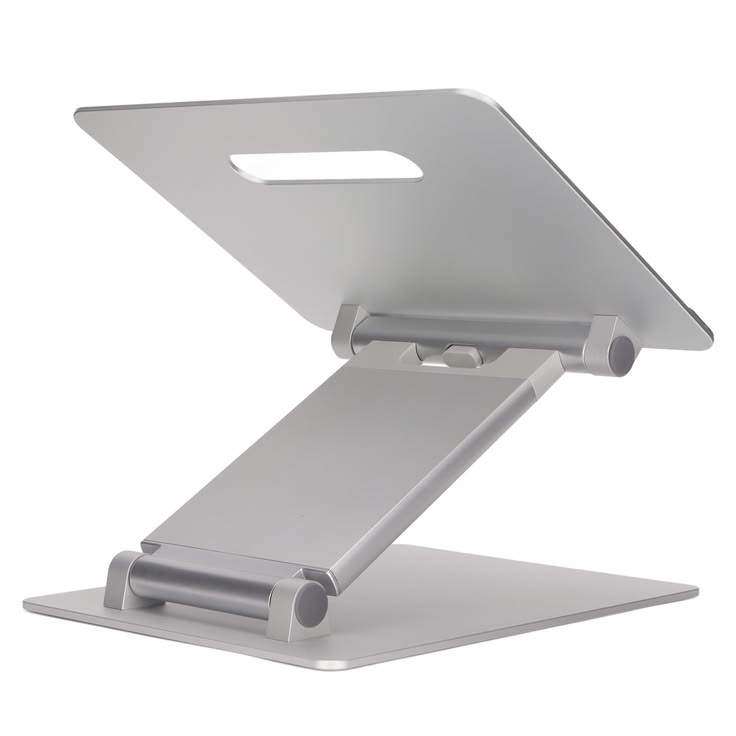
The Soundance Aluminum Laptop Stand is a fixed-height stand designed for users who primarily work from the same desk every day. Its minimalist aluminum construction provides excellent stability while raising your laptop to a more comfortable viewing height.
The open design allows air to circulate freely beneath the laptop, helping to reduce heat build-up during long work sessions. Wide silicone pads protect both your laptop and desk surface from scratches while keeping everything securely in place.
Assembly takes only a few minutes, and once installed, the stand feels exceptionally sturdy, making it an excellent choice for permanent home office setups.
Key Features
- Premium aluminum construction
- Open cooling design
- Anti-slip silicone pads
- Supports laptops from 10 to 15.6 inches
- Minimalist appearance
- Quick assembly
Pros
- Very stable
- Attractive design
- Excellent cooling
- Durable construction
- Great value
Cons
- Height is not adjustable
- Not designed for travel
Best For: Dedicated home offices and everyday desk use.
5. Tonmom Portable Foldable Laptop Stand – Best Travel Laptop Stand
Average Rating: ⭐⭐⭐⭐☆ (4.6/5)
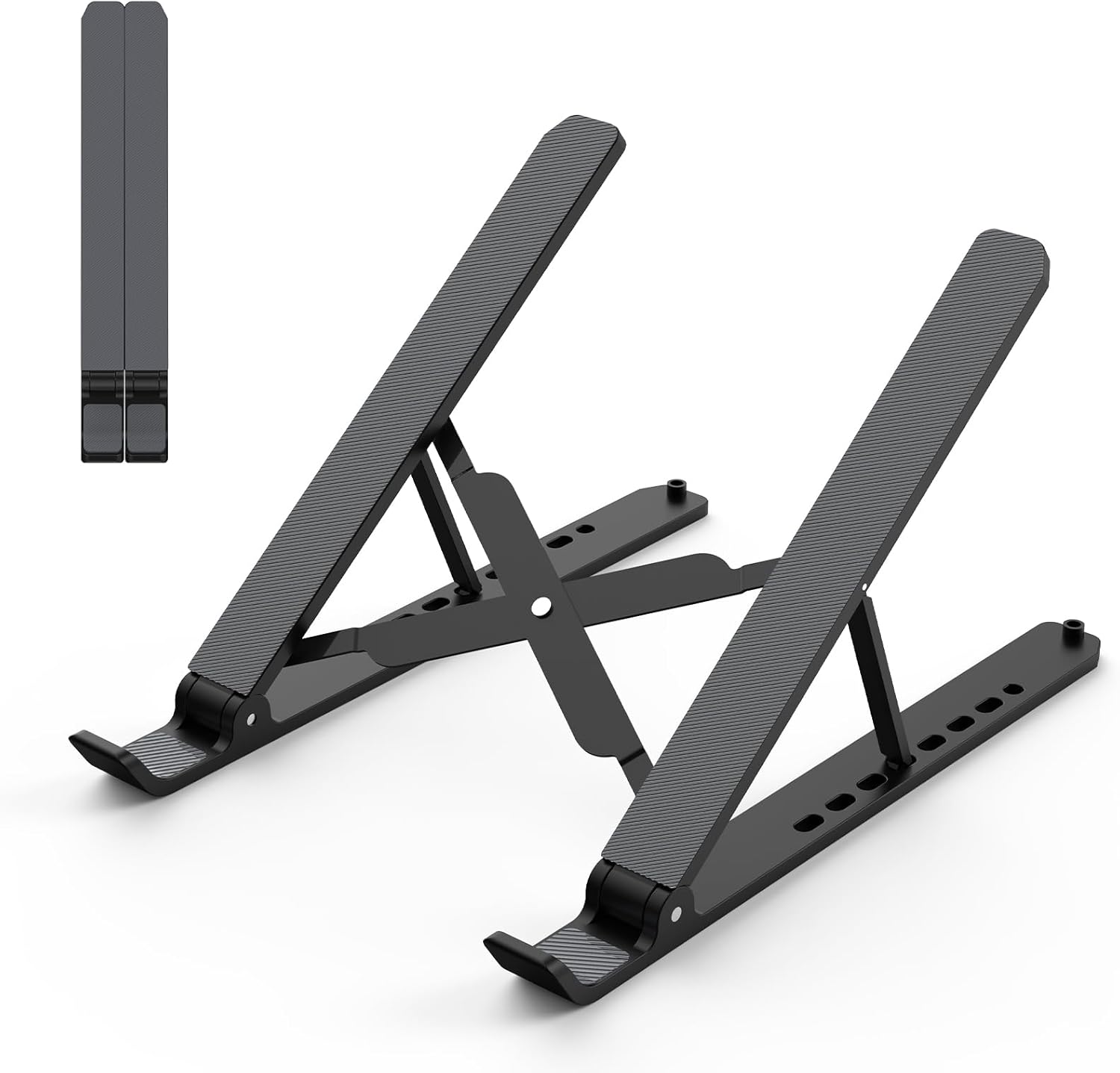
For professionals who regularly work in cafés, shared workspaces, or while travelling, the Tonmom Portable Foldable Laptop Stand offers an excellent balance of portability and functionality.
Its lightweight aluminum construction folds into a compact size that easily fits inside most laptop bags or backpacks. Despite its slim design, it remains surprisingly stable for everyday typing and video calls.
The stand offers multiple height settings, allowing users to improve posture wherever they work.
Key Features
- Ultra-lightweight aluminum
- Foldable design
- Adjustable viewing angles
- Silicone anti-slip pads
- Compact storage pouch
- Suitable for laptops up to 15.6 inches
Pros
- Highly portable
- Quick setup
- Affordable
- Good ventilation
- Ideal for remote working
Cons
- Less stable for heavier laptops
- Smaller footprint than desktop stands
Best For: Travelers, students, and hybrid workers.
6. OMOTON Laptop Stand – Best Value for Money
Average Rating: ⭐⭐⭐⭐⭐ (4.7/5)
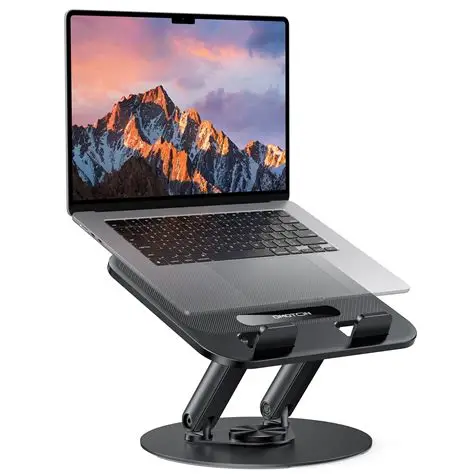
The OMOTON Laptop Stand delivers premium features at an affordable price, making it one of the best value laptops stands available under £20.
Manufactured from aluminum alloy, it provides a sturdy platform that comfortably supports laptops ranging from 10 to 16 inches. Its elevated design improves airflow while helping users maintain better posture throughout the working day.
The clean, minimalist appearance complements modern workspaces, particularly when paired with wireless keyboards and external monitors.
Key Features
- Aluminum alloy frame
- Ergonomic viewing angle
- Silicone protective pads
- Ventilated open design
- Easy assembly
- Universal compatibility
Pros
- Excellent build quality
- Affordable
- Attractive appearance
- Stable design
- Great cooling performance
Cons
- Fixed viewing angle
- Less portable than folding stands
Best For: Budget-conscious professionals and students.
7. BoYata Portable Laptop Stand – Best Cooling Performance
Average Rating: ⭐⭐⭐⭐⭐ (4.7/5)
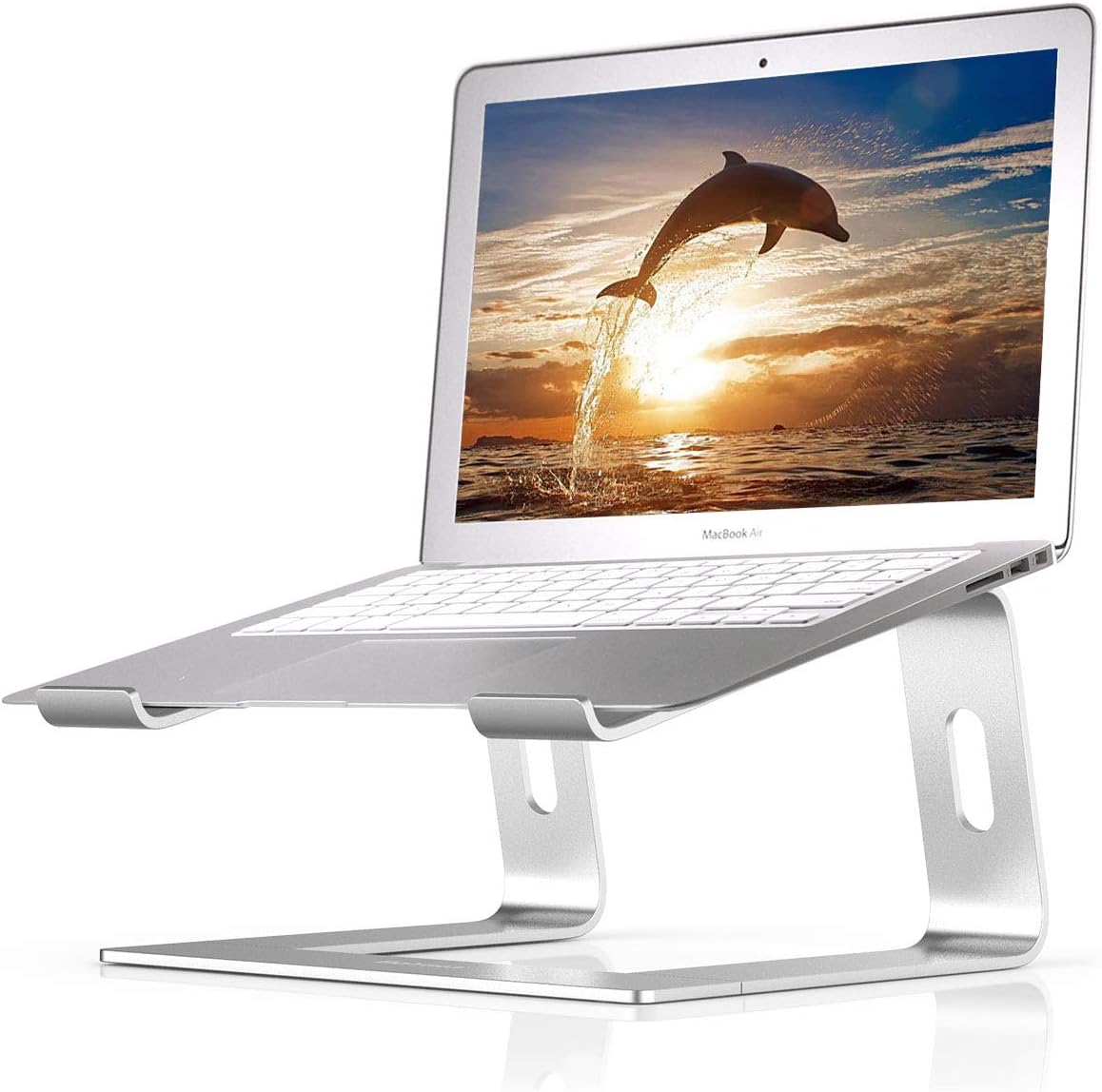
The BoYata Portable Laptop Stand is designed for users who regularly run demanding software such as video editing, programming, graphic design, or gaming.
Its open-frame aluminum construction allows unrestricted airflow beneath the laptop, helping to keep temperatures lower during intensive workloads. Adjustable hinges allow users to customize both height and viewing angle for improved ergonomics.
Heavy-duty hinges provide impressive stability while supporting larger laptops.
Key Features
- Adjustable height
- Adjustable angle
- Aluminium alloy frame
- Large cooling openings
- Anti-slip silicone pads
- Foldable design
Pros
- Outstanding cooling
- Highly adjustable
- Strong build quality
- Comfortable posture
- Supports larger laptops
Cons
- Slightly heavier than travel models
- Hinges can feel stiff initially
Best For: Designers, programmers, gamers, and power users.
Laptop Stand Buying Guide
Choosing the right laptop stand depends on how and where you work. Consider the following factors before making your purchase.
1. Ergonomics
The primary purpose of a laptop stand is to improve posture.
Ideally, the top of your laptop screen should sit close to eye level to reduce neck strain. If the stand raises the screen significantly, using an external keyboard and mouse can create a more comfortable and ergonomic workstation.
2. Build Material
Most quality laptop stands are made from one of three materials:
Aluminum
- Durable
- Lightweight
- Excellent heat dissipation
- Premium appearance
Plastic
- Lightweight
- Affordable
- Portable
- Less durable
Steel
- Extremely strong
- Excellent stability
- Usually heavier
Aluminum remains the most popular choice because it balances strength, portability, and effective heat management.
3. Laptop Compatibility
Before purchasing, check the supported laptop size.
Most stands accommodate devices between:
- 10 inches
- 13 inches
- 14 inches
- 15.6 inches
- 16 inches
- 17 inches
Also ensure the stand can support your laptop’s weight, particularly if you use a larger workstation-class device.
4. Cooling Performance
One overlooked benefit of laptop stands is improved airflow.
Open-frame designs allow heat to dissipate more effectively than placing a laptop flat on a desk, which can help maintain performance during extended use.
5. Portability
If you work from different locations, look for:
- Foldable designs
- Lightweight construction
- Storage pouch included
- Quick setup
These features make it easier to carry your stand between home, the office, or while travelling.
6. Stability
A stable stand is essential for comfortable typing and safe device support.
Look for:
- Wide base
- Silicone feet
- Anti-slip pads
- Strong hinges (for adjustable models)
These features help prevent movement while typing or adjusting the screen.
Additional Ergonomic Tips for Working from Home
Buying a laptop stand is only one part of creating a comfortable and productive workspace. Consider these additional tips to improve your home office setup:
1. Use an External Keyboard and Mouse
When your laptop screen is raised to eye level, an external keyboard and mouse help maintain a natural arm and wrist position, reducing strain during long work sessions.
2. Adjust Your Chair
Your chair should support your lower back, with your feet resting flat on the floor and your knees bent at roughly 90 degrees.
3. Position Your Screen Correctly
Aim to keep the top of your laptop screen at or just below eye level. This encourages a neutral neck position and reduces the tendency to look down.
4. Take Regular Breaks
Follow the 20-20-20 rule:
Every 20 minutes, look at something approximately 20 feet away for at least 20 seconds to reduce eye strain.
Also try to stand up and stretch every hour to improve circulation.
5. Keep Your Workspace Organized
A tidy desk can improve focus and productivity. Consider using cable organizers, monitor risers, and desk trays to keep your workspace clutter-free.
Frequently Asked Questions
Are laptop stands really worth buying?
Yes. Even an inexpensive laptop stand can improve posture, reduce neck and shoulder strain, enhance airflow around your laptop, and create a more comfortable working environment.
Will a laptop stand keep my laptop cooler?
Most laptop stands improve ventilation by allowing air to circulate underneath the device. While they don’t replace a cooling pad with built-in fans, they can help reduce heat build-up during everyday use.
Can I type directly on a laptop stand?
Yes, particularly with stable models. However, for the best ergonomic setup, it’s recommended to use an external keyboard and mouse if the laptop is raised significantly.
Which laptop stand is best for travel?
The Tonmom Portable Foldable Laptop Stand and UGREEN Foldable Laptop Stand are excellent choices thanks to their lightweight, compact designs.
Are aluminum laptop stands better than plastic ones?
In most cases, yes. Aluminum stands are generally more durable, provide better stability, and dissipate heat more effectively than plastic alternatives.
Final Thought
A laptop stand is one of the most cost-effective upgrades you can make to your home office. For less than £20, you can significantly improve your posture, reduce discomfort, enhance laptop cooling, and create a more organised workspace.
After comparing ergonomics, build quality, stability, portability, and overall value, these are our top recommendations:
| Category | Recommended Product |
|---|---|
| Best Overall | Amazon Basics Ventilated Adjustable Laptop Stand |
| Best Premium Under £20 | Nulaxy Foldable Aluminium Laptop Stand |
| Best Adjustable | Babacom Ergonomic Laptop Stand |
| Best Desk Setup | Soundance Aluminium Laptop Stand |
| Best Travel Stand | Tonmom Portable Foldable Laptop Stand |
| Best Value | OMOTON Laptop Stand |
| Best Cooling | BoYata Portable Laptop Stand |
| Best Office Use | Lamicall Adjustable Laptop Stand |
| Best Compact Design | UGREEN Foldable Laptop Stand |
| Best Budget Pick | AOVUYCK Foldable Laptop Stand |
If you’re looking for the best all-round option, the Amazon Basics Ventilated Adjustable Laptop Stand offers an excellent balance of affordability, comfort, stability, and cooling. For users who value premium materials and portability, the Nulaxy Foldable Aluminum Laptop Stand is another outstanding choice.
Related Articles
Continue reading on B-Dynamics Hub:
Best USB-C Fast Charging Cables in the UK: The Ultimate Buying Guide
Best Amazon Kitchen Gadgets: The Ultimate Buying Guide
Best Camping Gear on Amazon UK: Top Essential Products for Every Outdoor Adventure
Top 5 Best Power Banks: Top Portable Chargers Review & Buying Guide
External Resources (Follow Links)
For additional information:
Health and Safety Executive (HSE UK)
Official UK guidance on workstation setup, display screen equipment (DSE), and ergonomics.
Amazon Basics
https://www.amazon.co.uk/amazonbasics
Official Amazon Basics product listings, including laptop stands and office accessories.
TechRadar UK
Buying guides and expert reviews for home office accessories and computer peripherals.
Trusted Reviews
https://www.trustedreviews.com
In-depth technology reviews, comparisons, and recommendations.
TechRadar UK
Buying guides and expert reviews for home office accessories and computer peripherals.