
Last updated: July 21, 2026 (Published: July 20, 2026)
Shopify SEO Guide: Rank Your UK Store on Google
You’ve built a beautiful Shopify store. Your products are curated, your photography is sharp, and your prices are competitive. You hit publish, wait a few weeks, and… crickets. Your store is invisible on Google. A few scattered impressions here and there, but nothing that translates into actual sales.
This is the reality for most new Shopify merchants. Google doesn’t automatically know your store exists, and even when it does, it has no reason to rank you above established competitors who’ve been playing the SEO game for years.
I know this frustration intimately. My first Shopify store sat in Google’s wilderness for six months before I understood that SEO isn’t a single task you tick off — it’s a system of interconnected optimisations that compound over time. Once I got that system working, organic traffic became my largest and most profitable channel. No ad spend, no platform dependency, just customers finding me because I showed up when they searched.
This guide is that system, broken down step by step. No jargon, no vague advice like “create great content,” and no promises of overnight rankings. Just the specific, actionable tactics that move UK Shopify stores up Google’s results in 2026.
If you’re starting fresh and want a platform built with SEO fundamentals in mind, check out Shopify’s latest features here.

Why Shopify SEO Matters for UK E-Commerce
Organic search is the most sustainable traffic source for e-commerce businesses. Paid ads stop working the moment you stop paying. Social media algorithms change unpredictably. Email marketing requires an existing audience. But a well-ranked page on Google keeps delivering traffic month after month, year after year, with no incremental cost per visitor.
For UK merchants specifically, SEO has become even more critical post-Brexit. EU marketplaces are harder to access, cross-border paid advertising has become more complex, and UK consumers are increasingly searching locally. Ranking for “organic skincare uk” or “handmade furniture london” captures high-intent buyers who are actively looking for what you sell.
The challenge is that Shopify, while SEO-friendly out of the box, has limitations. Its URL structure is rigid, duplicate content issues are common, and the platform’s speed can suffer under heavy customisation. Understanding these limitations — and how to work around them — is what separates stores that rank from stores that don’t.
The good news? Most of your competitors are doing SEO badly. Thin product descriptions, missing alt text, slow mobile experiences, and ignored technical issues are the norm. If you implement even 70% of what this guide covers, you’ll likely outrank most small competitors in your niche.
What to Look for in Your Shopify SEO Foundation
Before diving into tactics, you need to understand where your store stands right now. Trying to optimise blindly is like trying to fix a car engine without opening the bonnet.
Current Google Visibility: Search
site:yourstore.co.uk in Google. This shows which pages are indexed. If your homepage appears but product pages don’t, you have an indexing problem. If nothing appears, Google hasn’t found your site yet.Page Speed Scores: Run your homepage and top three product pages through Google PageSpeed Insights. Scores below 50 on mobile need immediate attention. Between 50 and 70 is acceptable but improvable. Above 80 is strong.
Mobile Usability: Over 70% of UK e-commerce searches happen on mobile. Use Google’s Mobile-Friendly Test. Issues like text too small to read, clickable elements too close together, or content wider than the screen all hurt rankings.
Current Keyword Rankings: Use Google Search Console (free) to see which queries already trigger your store. Even a new store usually ranks for something — your brand name, a specific product, a long-tail query. This baseline tells you what’s working and what isn’t.
Competitor Analysis: Search your target keywords manually. Who ranks in the top three? What are their page titles, meta descriptions, and content structures? You’re not copying them — you’re understanding the standard you need to beat.
Featured Guide: Complete Shopify SEO System
Quick Overview
SEO for Shopify breaks into four interconnected areas: technical SEO (how Google crawls and understands your site), on-page SEO (what’s actually on each page), content SEO (the broader content that attracts links and authority), and local SEO (capturing geographically-specific searches). Neglect any one area and the others underperform.
This section walks through each area with specific Shopify actions, not generic advice. Where a tactic requires an app, I’ll mention it. Where Shopify handles something natively, I’ll explain how to use it properly.
If you want to see how Shopify’s built-in SEO features work in practice, view the platform here.
Key Features and Tactics Explained
Technical SEO: Making Google Understand Your Site
Submit Your Sitemap: Shopify automatically generates a sitemap at
yourstore.co.uk/sitemap.xml. Submit this to Google Search Console immediately. This tells Google where all your pages are and how they’re organised. Resubmit whenever you make significant structural changes.Fix Duplicate Content Issues: Shopify creates duplicate URLs for products — one through the main product path and one through collection paths (
/products/product-name and /collections/all/products/product-name). This confuses Google about which version to rank. Use canonical tags (Shopify adds these automatically, but verify they’re working) or, better, edit your theme’s collection links to point directly to product URLs.Optimise Your Robots.txt: Shopify’s default robots.txt blocks some useful pages and allows others that shouldn’t be indexed. Use a robots.txt editor app or, on Shopify Plus, customise it directly. At minimum, ensure your search results pages, cart, and checkout aren’t indexed.
Handle Pagination Correctly: If you have collection pages with many products, Shopify’s pagination should use
rel="next" and rel="prev" tags. Most modern themes handle this, but older themes might not. Check your theme’s pagination code or switch to a newer theme if this is broken.Implement Structured Data: Structured data (Schema markup) helps Google understand what your pages are about and can trigger rich snippets — those enhanced search results with star ratings, prices, and stock status. Shopify themes vary wildly in their Schema implementation. Use Google’s Rich Results Test to check your product pages. If missing, add Product Schema through an app like JSON-LD for SEO or by editing your theme’s liquid files.
Improve Core Web Vitals: Google’s Core Web Vitals (Largest Contentful Paint, First Input Delay, Cumulative Layout Shift) are direct ranking factors. For Shopify, the biggest wins are: compressing images (use TinyIMG or similar), minimising apps that load heavy scripts, using a fast theme (Dawn, Impulse, or Warehouse are strong), and enabling browser caching through your theme settings.
On-Page SEO: Optimising What Customers See
Craft Compelling Page Titles: Your title tag is the single most important on-page ranking factor. For product pages, use:
Product Name - Key Benefit | Brand Name. For collections: Collection Name for [Audience] | Brand Name. Keep under 60 characters to avoid truncation. Include your primary keyword naturally, but write for humans first.Example: Instead of “Organic Face Cream – Buy Now – Best Price – Free Shipping – Natural Skincare UK,” write “Organic Face Cream for Sensitive Skin | Glow Organics UK.”
Write Meta Descriptions That Earn Clicks: Meta descriptions don’t directly affect rankings, but they dramatically impact click-through rates. Think of them as ad copy for your organic listing. Include your keyword, a clear benefit, and a subtle call to action. Keep under 160 characters.
Example: “Shop our award-winning organic face cream, handmade in Cornwall for sensitive skin. Free UK delivery on orders over £30. See why 2,000+ customers love Glow.”
Optimise Product Descriptions: Most Shopify stores have thin, manufacturer-provided descriptions that Google has seen a thousand times. Rewrite every product description to be unique, detailed, and benefit-focused. Aim for 300+ words where possible, structured with headers, bullet points, and natural keyword usage. Include usage instructions, materials, sizing details, and care information — the specifics that manufacturer descriptions miss.
Image Optimisation: Every product image needs descriptive file names (
organic-face-cream-50ml.jpg not IMG_4521.jpg), compressed file sizes (under 200KB without visible quality loss), and alt text that describes the image for accessibility and SEO (Organic face cream in amber glass jar with wooden lid, 50ml size). Shopify’s native image handling is decent, but apps like TinyIMG automate the heavy lifting.URL Structure: Shopify’s URL structure is mostly fixed, but you control the slug — the part after the final slash. Keep slugs short, descriptive, and keyword-rich.
/products/organic-face-cream beats /products/best-organic-face-cream-for-sensitive-skin-uk-2026. Remove unnecessary words like “and,” “the,” and numbers that don’t aid understanding.Internal Linking: Link between related products, from collection pages to products, and from blog content to relevant collections. This helps Google discover pages, distributes link equity, and keeps customers browsing longer. A “Complete the Look” section on product pages is both a conversion tool and an SEO asset.
Content SEO: Building Authority Beyond Products
Start a Blog (And Actually Use It): Shopify’s blog functionality is underused by most merchants. A blog attracts informational searches, builds topical authority, and earns backlinks naturally. Write about problems your products solve, not just your products. “How to Build a Skincare Routine for Sensitive Skin” attracts more searches and links than “Why Our Face Cream Is Great.”
Create Buying Guides: Comprehensive buying guides for your product categories rank for high-volume comparison keywords. “Best Running Shoes for Marathon Training” or “How to Choose a Handmade Leather Wallet” capture customers in research mode — often before they’ve decided on a specific product.
Answer Common Questions: Use “People Also Ask” data from Google searches in your niche. Each question is a potential blog post or FAQ section. The more thoroughly you answer questions related to your products, the more Google sees you as an authority in your space.
Update Content Regularly: Google favours fresh content. Update your top-performing blog posts every six months with new information, updated product recommendations, and refreshed statistics. This signals to Google that your content is maintained and current.
Local SEO: Capturing Geographic Searches
Google Business Profile: Even online-only stores benefit from a Google Business Profile. It appears in local pack results and Google Maps, and it builds trust signals. Use your registered business address, add photos, and post updates regularly. If you have a physical location, showroom, or attend markets, this is essential.
Local Landing Pages: If you serve specific UK regions, create dedicated pages. “Handmade Furniture Delivered to Manchester” or “Organic Skincare Subscription Scotland” target geographic intent. Include local references naturally — landmarks, regional terminology, local delivery information.
NAP Consistency: Your business Name, Address, and Phone number must be identical across your website, Google Business Profile, social media, and any directory listings. Inconsistencies confuse Google and dilute local ranking signals.
Local Link Building: Get listed in UK-specific directories (Yell, Thomson Local, industry-specific directories). Sponsor local events, collaborate with other UK businesses, and seek coverage in local press. These geographically relevant backlinks strengthen your local authority.
Real-Life Benefits
Here’s how this system performs for actual UK Shopify stores:
The Bristol Candle Maker: Sarah implemented basic technical SEO (sitemap submission, image compression, structured data) and rewrote her product descriptions from 50-word manufacturer copies to 300-word originals with natural keywords. Within four months, her organic traffic increased 180%. Her “soy candles for relaxation” product page now ranks on page one for that query, generating consistent sales without ad spend.
The Manchester Fitness Brand: Tom’s store had decent traffic but poor conversion from organic search. He discovered through Search Console that he was ranking for irrelevant queries — people looking for free workout plans landing on his paid product pages. He created a blog with genuinely useful free content, interlinked it with product pages, and optimised his meta descriptions to filter out non-buyers. Organic traffic dropped slightly, but revenue from organic increased 40% because the remaining traffic was purchase-intent.
The London B2B Wholesaler: Priya’s wholesale business was invisible locally despite serving London retailers for years. She claimed and optimised her Google Business Profile, created location-specific landing pages for each London borough she delivered to, and got listed in three industry directories. Within three months, she appeared in the local pack for “wholesale kitchen supplies London” and landed two new retail contracts worth £15,000 annually.
Pros and Cons of Shopify for SEO
| Aspect | Shopify Advantage | Shopify Limitation |
|---|---|---|
| Technical Foundation | Clean code, automatic sitemaps, SSL included | Rigid URL structure, limited robots.txt customisation (without Plus) |
| Speed | Fast themes available (Dawn, Impulse) | App bloat slows stores easily; no server-level caching control |
| Mobile Experience | Themes are mobile-responsive by default | Customisations often break mobile layouts |
| Structured Data | Some themes include basic Schema | Inconsistent implementation; often needs apps or manual fixes |
| Content Management | Built-in blog functionality | Blog is basic compared to WordPress; limited category/tag control |
| On-Page Editing | Easy title and meta description editing | No native bulk editing; must use apps for large catalogues |
| Local SEO | Google Business Profile integration possible | No native local SEO features; all manual implementation |
| International | Multi-currency and domain support | Hreflang implementation is complex; often needs developer help |
Who This SEO Guide Is Best For
New Shopify Merchants: If you’re setting up your first store, implementing these fundamentals from day one saves you from painful retrofitting later. Start with technical SEO and on-page basics before worrying about content strategy.
Established Stores with Stagnant Traffic: If your organic traffic plateaued months ago, you likely have technical issues or content gaps. Audit your site against this guide, fix the fundamentals, then build out content.
Stores Relying Heavily on Paid Ads: If you’re spending £500+ monthly on Facebook or Google ads, diversifying into organic search reduces your dependency and improves margins. SEO is slower but far more sustainable.
Local Service-Based Businesses: Even if you sell nationally, local SEO captures high-intent nearby customers. The combination of national product SEO and local business SEO is powerful.
Merchants Planning Long-Term Growth: SEO compounds. The work you do today pays dividends in six to twelve months. If you’re building a business you intend to run for years, SEO is non-negotiable.
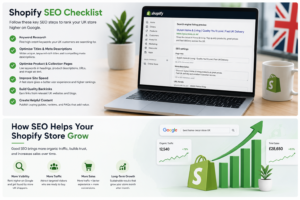
Comparison: Shopify SEO vs WordPress/WooCommerce SEO
| Factor | Shopify SEO | WooCommerce SEO |
|---|---|---|
| Ease of Setup | Excellent — most basics work out of the box | Requires configuration and plugin installation |
| URL Control | Limited — rigid structure, no subdirectories for products | Full control over every URL element |
| Speed Optimisation | Good with fast themes, poor with heavy customisation | Fully controllable with quality hosting |
| Content Flexibility | Basic blog, limited page templates | Extensive — WordPress is a content powerhouse |
| Technical Customisation | Restricted without Plus plan or apps | Unlimited — full server and code access |
| App Ecosystem for SEO | Solid (Plug in SEO, TinyIMG, JSON-LD) | Exceptional (Yoast, RankMath, All in One SEO) |
| Learning Curve | Gentle — most merchants can handle basics | Steeper — requires more technical knowledge |
| Ongoing Maintenance | Low — Shopify handles hosting and updates | Higher — you’re responsible for updates and security |
| Best For | Merchants who want SEO without technical hassle | Merchants who want maximum control and have technical resources |
Practical Use Cases
Launching a New Store: Start with technical fundamentals. Submit your sitemap, verify mobile usability, compress all images before upload, and write unique product descriptions from day one. Don’t launch with placeholder content — Google’s first impression of your site matters.
Reviving a Stagnant Store: Audit with Search Console and PageSpeed Insights. Fix any indexing errors, update thin product descriptions, remove or consolidate duplicate content, and implement structured data. Then create three to five high-quality blog posts targeting questions your customers ask.
Competing in a Crowded Niche: If you’re selling something generic (phone cases, t-shirts, candles), differentiation through content is essential. Create buying guides, comparison content, and educational resources that bigger competitors can’t be bothered with. Long-tail keywords with lower competition are your path in.
Expanding from Local to National: If you started serving one city and want UK-wide reach, create location-specific landing pages for each target region, build national-level content (not just local), and seek backlinks from UK-wide publications and industry sites.
Preparing for Seasonal Peaks: SEO for seasonal events (Christmas, Valentine’s Day, summer sales) needs to start months in advance. Create and publish seasonal content three to four months before the peak. Google needs time to crawl, index, and rank new pages.
Frequently Asked Questions (FAQ)
How long does Shopify SEO take to work?
Realistically, three to six months for noticeable improvements, and six to twelve months for significant ranking changes. SEO is not a quick fix. The stores that succeed are those that start consistently and don’t give up after a month of no visible results.
Do I need to hire an SEO agency?
Not initially. Most small UK stores can handle the fundamentals in this guide themselves. Consider an agency or freelancer when you’re doing £20k+ monthly and want to scale aggressively, or when you have technical issues beyond your skill level.
Can I rank on Google with a free Shopify theme?
Absolutely. Your theme affects speed and mobile experience, but free themes like Dawn are well-optimised for SEO. Content quality, technical fundamentals, and backlinks matter far more than whether you paid for your theme.
How many keywords should I target per page?
One primary keyword and two to three related secondary keywords. Don’t try to rank a single product page for twenty different terms — it dilutes your focus. Create separate pages for distinct keyword targets.
Does blogging on Shopify actually help?
Yes, when done well. Thin, sporadic blog posts don’t help. Consistent, genuinely useful content that answers real customer questions builds authority, earns backlinks, and captures informational searches that lead to purchases.
Should I use Shopify’s built-in blog or a separate WordPress site?
For most merchants, Shopify’s built-in blog is sufficient and keeps everything on one domain, which consolidates authority. Only consider WordPress if content is your primary business model and you need advanced publishing features.
How do I handle out-of-stock products for SEO?
Don’t delete the page — you lose accumulated ranking authority. Keep the page live with an “out of stock” notice, email notification option, and related product recommendations. If permanently discontinued, use a 301 redirect to the most relevant alternative product or collection.
What’s the biggest SEO mistake Shopify merchants make?
Copying manufacturer product descriptions. Google sees thousands of identical descriptions across the web and has no reason to rank your version. Rewrite every description to be unique, detailed, and genuinely helpful.
Final Thoughts
Shopify SEO isn’t complicated, but it is comprehensive. The merchants who rank are the ones who systematically address every area — technical, on-page, content, and local — rather than chasing the latest tactic or hoping one magic change will transform their visibility.
The reality is that most of your competitors are doing the bare minimum. They’re using default product descriptions, ignoring image optimisation, never submitting sitemaps, and treating their blog like an afterthought. If you implement even 70% of what this guide covers, you’ll likely outrank them.
But SEO rewards patience. The work you do today won’t show results tomorrow. It might not show results next month. But in six months, when your product pages start climbing Google’s results and organic traffic becomes your most profitable channel, you’ll be glad you started when you did.
My advice? Pick one section of this guide and implement it fully this week. Then move to the next. Don’t try to do everything at once — you’ll burn out and do nothing well. Technical SEO first, then on-page, then content, then local. Build the foundation before adding the decoration.
If you’re ready to build your store on a platform with strong SEO fundamentals, check out Shopify’s latest plans and features here.